
Have you ever wondered how companies like car manufacturers, phone makers, or furniture brands keep track of every single part that goes into their products? From the tiniest screw to the biggest engine block — someone has to make sure everything is organized, correct, and ready to build.
That is exactly what a Product Release Engineer (also called XEN) does. Think of them as the librarian of a product. Just like a librarian organizes books so people can find them easily, XEN organizes all the parts, drawings, and instructions for a product so that everyone — from designers to factory workers — can find what they need.
In this guide, we will explain what a Product Release Engineer is, how it works, and why it matters — using simple words and real-life examples. No technical background needed!
What Is a Product Release Engineer (XEN)?
XEN stands for Product Release Engineer. It is a tool that lives inside a bigger system called the 3DEXPERIENCE platform.
Here is the easiest way to understand it: Imagine you are building a LEGO castle. You have hundreds of pieces — walls, towers, doors, tiny flags. Now imagine you had a magic notebook that:
- Lists every piece you need
- Shows you where each piece goes
- Tells you if a piece has been updated or changed
- Lets your friends see the same notebook in real-time
- Works on any device — your laptop, tablet, or even your phone
That magic notebook is basically what a Product Release Engineer does for real products. It keeps everything organized in one place, so nobody is confused about what goes where.
How Does a Product Release Engineer Work?
Let us say your company makes bicycles. A bicycle has many parts — frame, wheels, brakes, chain, seat, handlebars, and so on. Each part needs a drawing, a part number, and instructions on how to build it.
Here is how it handles this, step by step:
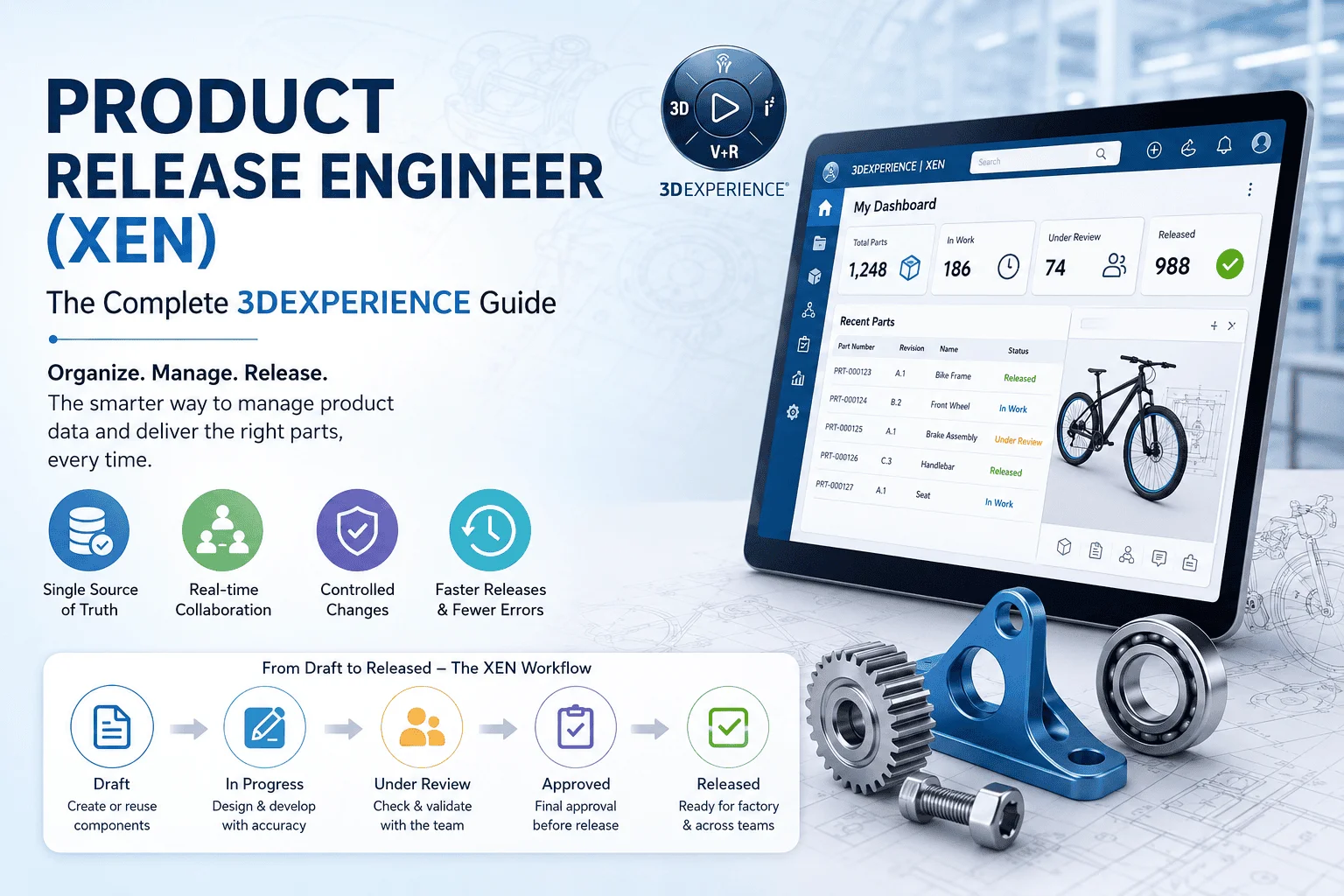
Step 1: Open Your Dashboard (Your Personal Workspace)
When you log into XEN, you see a clean, simple webpage — like opening your email or a social media app. It shows you all the parts and projects you are working on. No need to dig through folders or ask someone where things are.
Step 2: Reuse What Already Works (Copy-Paste for Products)
Let us say you already designed a great bicycle seat last year. Instead of designing a new seat from scratch, XEN lets you copy the old one and make small changes. This saves tons of time and prevents mistakes. It is like using a recipe you already know and just swapping one ingredient.
Step 3: Give Everything a Name (Part Numbers)
Every part gets a unique number — like a barcode or a student ID. This way, when the factory orders materials, or when a repair shop needs a spare part, everyone knows exactly which item to ask for. No confusion, no mix-ups.
Step 4: Move Through Stages
Every part starts as a draft (like a rough sketch) and moves through stages: In Progress, Under Review, Approved, and finally Released. You cannot skip stages. This makes sure nothing goes to the factory until it is fully checked and ready.
Step 5: Assign Owners (Who Is Responsible?)
Every part has an owner — a real person who is in charge of it. If something goes wrong, everyone knows who to talk to. It is like having a team captain for every piece of the product.
Step 6: Look at 3D Models
Here is the cool part: you do not need to be an engineer to look at a 3D model in XEN. You can spin it around, zoom in, measure sizes, and even slice it open — all in your web browser. This means managers, buyers, and quality checkers can all review designs without needing expensive design software.
Step 7: Export and Share (Send Data to Other Teams)
Once everything is ready, a Product Release Engineer can export a list of all parts (called a BOM — Bill of Materials) into a simple spreadsheet. This spreadsheet can be sent to the factory, the purchasing team, or the repair center. Everyone gets the same, correct information.
Connecting XEN to Other Business Tools (ERP Integration Made Simple)
You have probably heard of ERP systems — tools like SAP, Oracle, or other software that companies use to track money, inventory, orders, and payroll. Think of ERP as the accounting and operations brain of the company.
Now, here is the problem: in many companies, the design team uses one system, and the operations team uses another. They do not talk to each other. So when engineers change a part, the factory might not know about it. This causes mistakes, wasted materials, and delays.
A Product Release Engineer fixes this by connecting directly to your ERP system. Here is how, in simple terms:
Automatic Part Sharing: When an engineer creates or updates a part in XEN, that information automatically appears in the ERP system. No one has to retype anything. It is like syncing your phone contacts to the cloud — automatic and error-free.
BOMs Flow to Production: The list of parts (BOM) that XEN creates goes straight to the factory planning system. The factory knows exactly what to build, how many, and when.
Cost Information Comes Back: The ERP system knows how much each material costs. This information flows back into XEN, so engineers can see if a design is too expensive while they are still designing it — not after it is already built.
Inventory Levels Are Visible: If a certain screw is out of stock, the ERP tells XEN, and the engineer gets a warning. They can choose a different screw that is available, avoiding production delays.
Changes Are Tracked Everywhere: If a part needs to change after release, XEN and ERP stay in sync. Everyone sees the same version. No more “I did not get the memo” moments.
Works with Popular ERPs: XEN connects easily with SAP, Oracle, QAD, and many others. Even if your company uses a less common system, XEN can export data in standard formats (like Excel/CSV) that any system can read.
In short: a Product Release Engineer and ERP talk to each other like two friends sharing notes. Everyone stays on the same page, and work flows smoothly.
Why Should You Care? The Big Benefits
Here is a simple table showing what a Product Release Engineer does and why it matters to you:
| What It Does | Why It Helps You |
| Keeps everything in one place | You do not waste time searching for files or wondering which version is correct. |
| Works in your browser | No need to install heavy software. Use it from home, office, or even a tablet. |
| Lets you reuse old designs | Why start from scratch when you can copy and tweak? Faster work, fewer mistakes. |
| Shows 3D models to everyone | Managers, buyers, and quality teams can review designs without being CAD experts. |
| Connects to ERP automatically | No double data entry. What engineering creates, operations sees instantly. |
| Tracks who owns what | Clear accountability. If something breaks, you know who to ask. |
| Controls changes carefully | Nothing gets released by accident. Every change is checked and approved. |
| Exports to Excel/CSV | Easy to share with people who do not use XEN. Universal compatibility. |
How Different Teams Use a Product Release Engineer
A Product Release Engineer is not just for engineers. Here is how different people in a company benefit from it:
Designers & Engineers
They use XEN to organize their 3D models, drawings, and part lists. It is their central workspace where they create, edit, and release designs. Like a digital workshop where all their tools are neatly arranged.
Factory & Manufacturing Teams
The factory needs to know exactly what to build and how. A Product Release Engineer sends them the correct part list (BOM) so they can order materials, plan assembly lines, and start production without guessing.
Purchasing & Buyers
Buyers need to order parts from suppliers. XEN tells them the part numbers, quantities, and specifications early in the process. They can start talking to suppliers before the design is even finished, saving weeks of time.
Quality Control Inspectors
Quality teams check that products meet standards. XEN shows them exactly what the approved design should look like, so they can compare it against what comes off the production line. If something is wrong, they catch it early.
Service & Repair Technicians
When a product breaks in the field, repair teams need to know what parts to replace. XEN helps create accurate service manuals and spare parts lists, so technicians fix things faster and customers stay happy.
Project Managers
Managers need to see progress without bothering engineers. XEN dashboards show them which parts are done, which are stuck, and what is coming next. It is like a project timeline, but for physical products.
Finance & Cost Analysts
Money matters. By connecting XEN to ERP, finance teams see how much a product will cost to make before a single unit is built. They can flag expensive designs early and suggest cheaper alternatives.
XEN and Its Friends: Other Roles on the 3DEXPERIENCE Platform
A Product Release Engineer does not work alone. It is part of a big family of tools on the 3DEXPERIENCE platform. Here is how they work together, explained simply:
3D Product Architect (PAU): This person plans the big picture — like an architect drawing the blueprint of a house. XEN then takes that blueprint and fills in all the details. PAU dreams it; the Product Release Engineer builds the detailed plan.
Change Manager (CHG): When someone wants to change a design after it is released, the Change Manager handles the paperwork and approvals. XEN makes sure the actual design files get updated once the change is approved.
Configuration Engineer: Some companies make 50 versions of the same product (like cars with different colors and engines). The Configuration Engineer manages all those variations. XEN provides the base design that gets customized.
Specification Manager (XSR): This role writes the instruction manuals and technical documents. XEN feeds them the latest design data, so the documents are always accurate and up-to-date.
Digital Mockup Review Engineer (DRN): Before building anything expensive, this role sets up virtual meetings where teams review 3D models together. XEN provides the accurate model so everyone is looking at the right thing.
DELMIA (Manufacturing Item Engineer): DELMIA is the manufacturing cousin of XEN. While XEN manages the design, DELMIA plans how to build it on the factory floor. They share data so the factory gets exactly what engineering designed.
Supply Network Manager: This person manages relationships with suppliers. XEN gives them accurate part data so they can order the right components from the right vendors at the right price.
Why a Product Release Engineer Matters
At the end of the day, a Product Release Engineer is about one thing: making sure the right information gets to the right people at the right time.
Think about it this way:
- Without one: 10 different teams use 10 different spreadsheets. Nobody knows which one is correct. Mistakes happen. Delays pile up. Costs go up.
- With a Product Release Engineer: Everyone looks at the same, live, accurate data. Changes are tracked. Approvals are controlled. Work flows smoothly from design to factory to customer.
Whether you are a designer sketching ideas, a manager tracking progress, or a buyer ordering parts, a Product Release Engineer makes your life easier. It is simple to use, powerful in what it does, and connects everyone in the company — plus your ERP system — into one happy, productive family.
And the best part? You do not need to be a tech wizard to use it. If you can use a web browser, you can use XEN.
Ready to see how XEN can help your team? The 3DEXPERIENCE platform works for small teams and big companies alike. Contact IDSPL to start simple, grow as you need, and watch your product development become faster, smoother, and more organized.
By Shivank Srivastava | Ideas Design Solutions Pvt. Ltd. (IDSPL)